Quickstart
In this quickstart, you’ll install Railtracks, run your first agent, and visualize its execution; all in a few minutes.
1. Installation
Note
railtracks[visual] is optional, but required for the visualization step.
2. Running your Agent
Define an agent with a model and system message, then call it with a prompt:
import railtracks as rt

# To create your agent, you just need a model and a system message.
Agent = rt.agent_node(
    llm=rt.llm.OpenAILLM("gpt-6-luna"),
    system_message="You are a helpful AI assistant."
)


# Create your flow and set the entry point to the function we just created.
# Then we can invoke the flow with a the input to the function node.
flow = rt.Flow("Quickstart Example", entry_point=Agent)

result = flow.invoke("Hello, what can you do?")
Example Output
Your exact output will vary depending on the model.
No API key set?
Make sure you are calling a model you have an API key set in your .env file.
Railtracks supports many of the most popular model providers. See the full list
Jupyter Notebooks
If you’re running this in a Jupyter notebook, remember that notebooks already run inside an event loop. In that case, use await flow.ainvoke(...) instead of flow.invoke(...). Head to Async/Await for more on async features in Python.
3. Visualize the Run
With Railtracks CLI you can dive deep on your runs. Our observability runs locally from the command line.
Setup
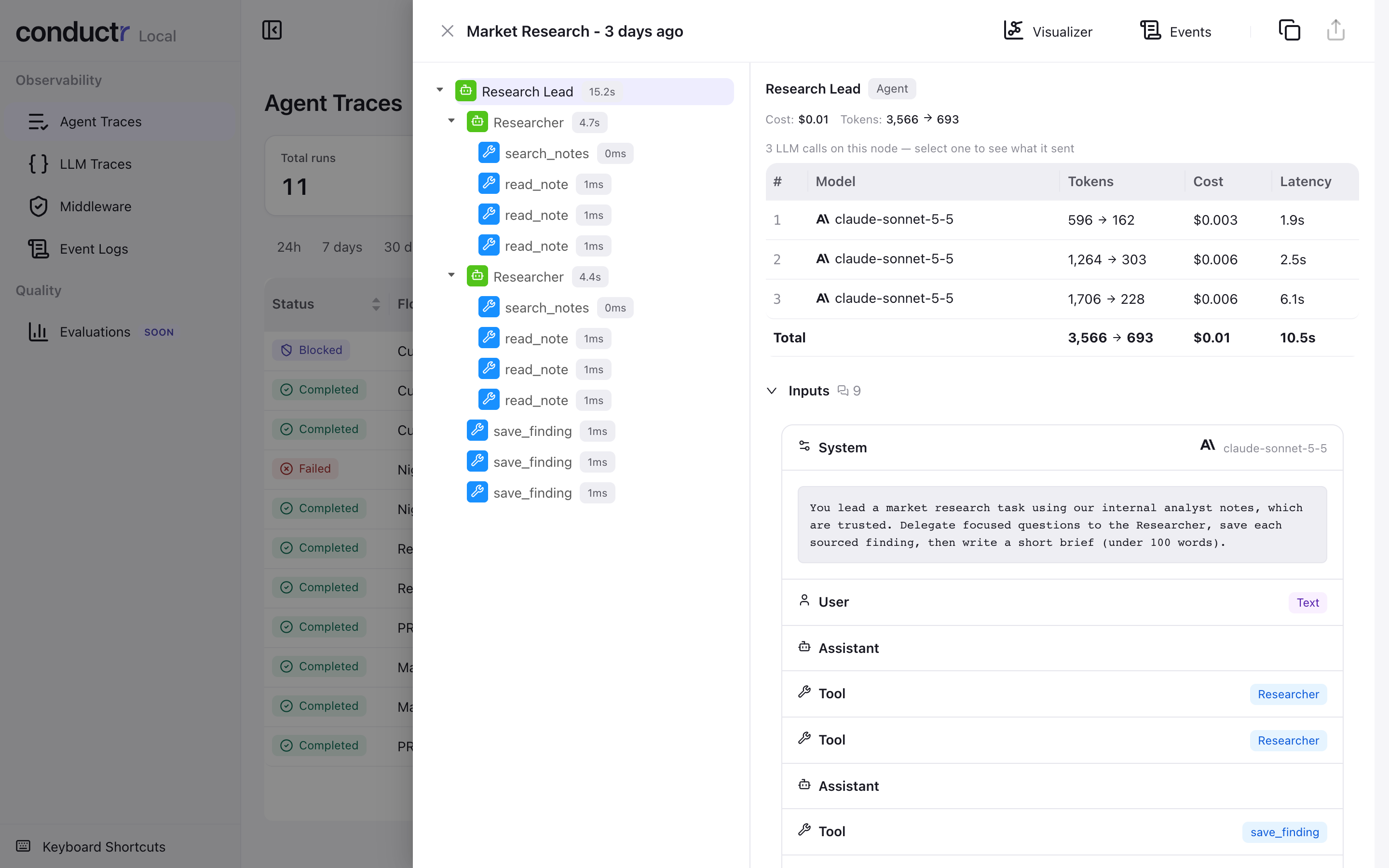
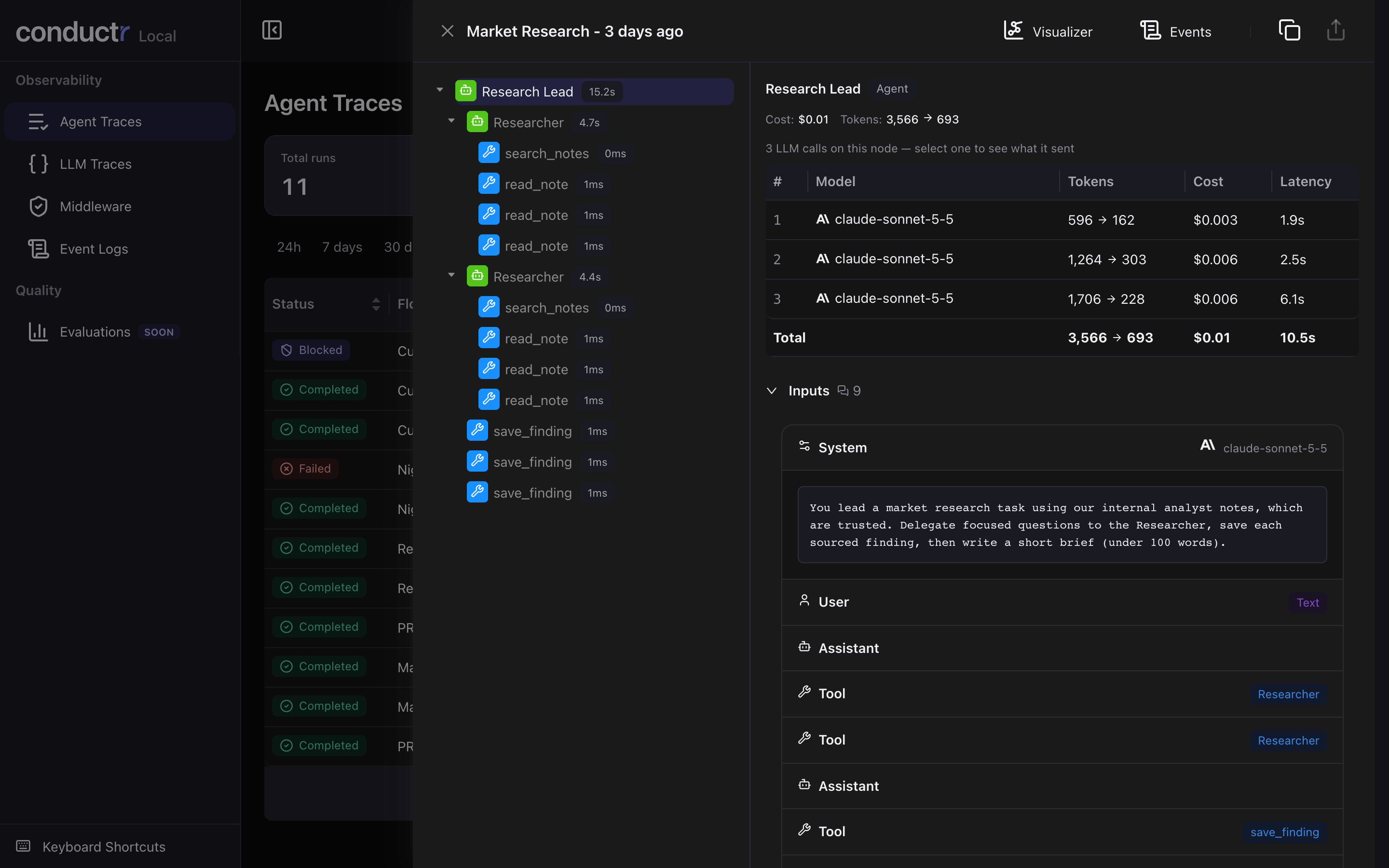
This opens a web interface at http://localhost:3031 with all of your agent runs. Open a run to step through every node it called, with the messages each agent sent, token usage, and cost. See Local Visualization (Current) for a full tour, or the legacy visualizer (railtracks viz) to browse evaluation results.